Accessible design is no longer a finishing step added before launch. It is a practical responsibility that shapes research, content, interfaces, and customer support. Designing For Accessibility And Ada Compliance helps organizations create digital experiences that more people can use independently.
In 2026, teams must look beyond color contrast and automated scans. A usable website should support keyboard navigation, visible focus indicators, descriptive headings, captions, and clear error messages. Forms should identify problems beside the affected fields. Buttons should remain understandable when read by a screen reader. Small details matter. A missing label can stop someone from completing an application.
This guide examines reliable practices for planning, testing, and maintaining accessible products. It considers ADA-related expectations alongside widely adopted accessibility principles, including WCAG guidance. Legal obligations can vary by organization, service, and location, so qualified professionals should review high-risk decisions. Automated tools can reveal contrast failures, but they cannot judge every confusing instruction or broken interaction. Human testing remains essential.
A perfect checklist does not exist. Real users expose gaps.
Teams should test with keyboards, screen readers, magnification tools, captions, and different input methods. They should also involve people with disabilities when possible and compensate their expertise fairly. Accessibility statements, issue logs, and remediation timelines can make progress visible. Yet documentation alone proves little. A polished policy cannot repair an unusable checkout page. Sustainable compliance requires repeated testing, accountable ownership, and the willingness to revisit decisions that once seemed acceptable.
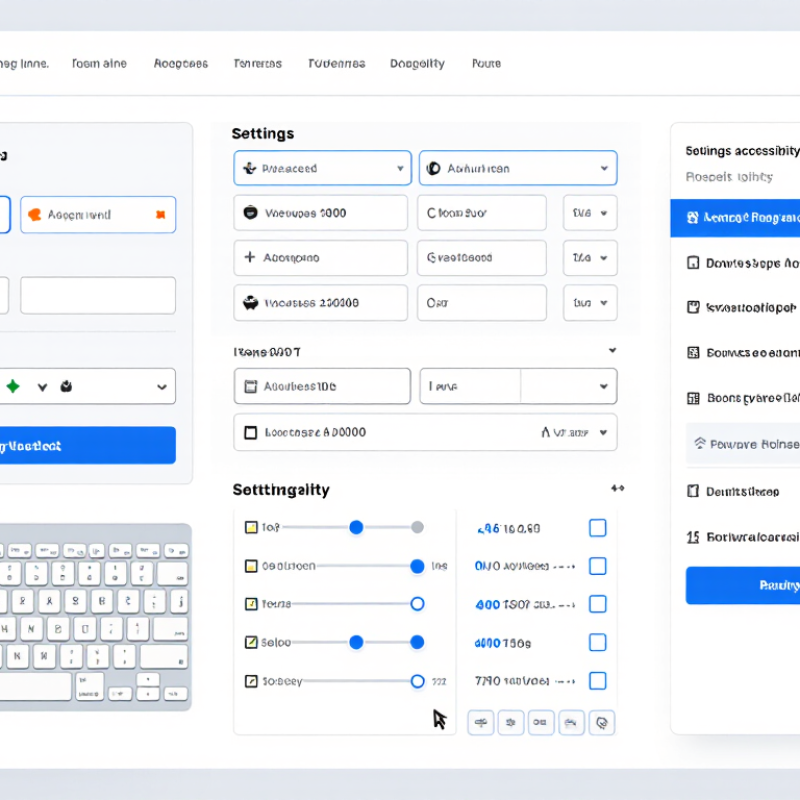
Understanding Accessible Design and ADA Compliance in 2026 means treating access as a daily design responsibility, not a final inspection. The World Health Organization reports that about 1.3 billion people experience significant disability worldwide. That figure includes people using screen readers, voice input, magnification, captions, or keyboard navigation. It starts earlier. Designers should define visible focus states, logical headings, readable error messages, and touch targets before development begins.
The WebAIM Million 2025 report found detectable WCAG failures on 94.8% of tested home pages. Common problems included low contrast, missing image descriptions, and empty links. These findings show why automated scans cannot prove ADA readiness. A practical review includes keyboard-only navigation, screen-reader testing, zoom checks, caption verification, and form completion with errors. Test it. Real users often reveal barriers that tools miss.
ADA compliance also requires context. A technically valid page can still frustrate someone when focus jumps unexpectedly or a timed form closes without warning. Teams should map user journeys, document testing evidence, train content authors, and provide an accessible contact method. WCAG 2.2 offers useful technical guidance, while legal interpretation may depend on the service, audience, and jurisdiction. My own audits have shown an uncomfortable pattern: teams fix contrast quickly but overlook PDFs, menus, and account recovery. That gap deserves honest review, not a polished claim of perfection.
Accessible design starts with identifying real users, not imagined averages. A keyboard-only visitor may tab through thirty controls before reaching the main content. A screen reader user may hear “button” without understanding its purpose. Someone with low vision may enlarge text until a fixed panel hides the form. These details reveal barriers that analytics often miss. Short interviews, task testing, and support records provide stronger evidence than assumptions. Ask where people pause, recover, or abandon a task. Listen carefully.
Map each user journey from entry to completion. Record barriers involving navigation, language, motion, color, timing, and error recovery. Check whether headings follow a logical order. Confirm that every form field has a clear label. Test focus visibility with only a keyboard. Captions should match spoken content, including important sounds. A useful audit combines automated tools with manual review and tests from people with different disabilities. Automated results are clues, not proof.
Requirements should be tied to the product’s audience, service, and current ADA obligations. Teams should verify applicable rules with qualified accessibility professionals. A checklist helps, but it is not enough. A common mistake is treating compliance as a final inspection. By then, changing a form or navigation structure may be expensive. Build accessibility checks into design reviews, prototypes, and content editing. Keep findings specific: “focus disappears after the date field,” not “the page feels difficult.” Our process can still miss something. Make room for correction.
WCAG 2.2 introduced nine new success criteria that address barriers such as hidden focus indicators, dragging-only interactions, redundant data entry, and inaccessible authentication. The criteria are grouped by their required conformance level.
Accessible design should prioritize Level A and AA requirements first, while Level AAA criteria provide additional support for users facing complex or severe accessibility barriers.
Accessible design begins with ordinary moments: opening a menu, increasing text size, or completing a payment.
In usability reviews, I watch people navigate with keyboards and screen readers. Small obstacles become obvious quickly. A missing label can stop a form. Low contrast can hide essential instructions. Designing for digital experiences means considering these actions before visual polish.
Under the Americans with Disabilities Act, organizations should assess applicable obligations and maintain accessible digital services. WCAG offers a useful technical reference, but compliance is not only a checklist.
A practical workflow starts with semantic structure.
Use meaningful headings, descriptive link text, visible focus states, and form errors that explain the repair. Test every key path without a mouse. Then test with zoom, captions, reduced motion, and a screen reader.
Real users reveal issues automated scans miss. Invite disabled participants early, compensate them fairly, and document what changed after their feedback.
Keep content plain. Make controls predictable.
Teams often overestimate their progress after fixing color contrast.
I have seen an accessible landing page fail when a modal trapped keyboard focus. That failure was uncomfortable, but useful. It showed that accessibility needs repeated testing, not a one-time review.
Record decisions, assign ownership, and retest after releases. Some guidance will remain unclear in practice.
Ask qualified accessibility professionals when legal interpretation is required, and avoid promising perfect compliance. A better goal is dependable access across devices, abilities, and changing contexts.
Accessible design under ADA expectations is not proven by an automated scan alone. In real projects, I test each key task with a keyboard, screen reader, magnification, and voice input. I check focus order, form labels, error messages, captions, contrast, and zoom behavior. Small details matter. A missing label can stop a person from submitting an application.
Real users reveal problems that tools cannot detect. I invite people with different disabilities to complete realistic tasks, such as finding a service, changing an account setting, or recovering a password. I avoid coaching them. Their pauses, workarounds, and questions show where the interface fails. I record the exact step, device setting, task outcome, and user impact. This creates evidence that designers and developers can act on.
Testing is never perfectly complete. One user cannot represent every experience, and my assumptions can still distort the findings. Sometimes a technically correct interface feels exhausting in practice. That feedback deserves more than a quick fix. Teams should retest after every significant change, including content and visual updates. They should also explain which issues remain open and why. Honest records build trust, while repeated sessions turn accessibility from a checklist into a dependable working habit.
Accessible design requires more than a compliant website at launch. Teams should maintain a clear accessibility record for each project, including audit dates, known barriers, testing methods, and assigned owners. Store keyboard test results, caption checks, color contrast measurements, and remediation decisions in one controlled location. Documentation supports accountability when staff or content changes.
Training should be practical and recurring. Designers can practice navigating forms with only a keyboard, while writers review meaningful link text and image descriptions. Developers should learn how focus indicators, headings, labels, and error messages affect real users. A short session may reveal gaps. It may not fix them. Our own reviews can miss issues when testing only familiar workflows, so involving people with different disabilities adds valuable evidence.
Tips: Schedule quarterly reviews, not only annual audits. Test new templates before publication. Record who tested each feature and what changed. Use plain language in internal guidance. Recheck archived documents, because old PDFs can remain publicly available. Encourage staff to report barriers without blame, then track each report until resolution. Some improvements may need revision after user feedback, and that is normal. Reliability grows through visible records, honest testing, and repeated follow-up.
| Compliance Area | Data Dimension | Verified Requirement or Practice | Recommended Target or Frequency | Documentation and Evidence |
|---|---|---|---|---|
| Accessibility Policy | Policy coverage | Publish an accessibility policy that identifies responsibilities, contact methods, feedback handling, reasonable-modification procedures, and escalation routes. | Review at least annually and whenever a major legal, service, or technology change occurs. | Approved policy, revision history, owner, effective date, and change log. |
| Legal and Technical Baseline | Applicable standards | Use the applicable ADA Standards for physical facilities and identify any contractual or regulatory digital-accessibility criteria. WCAG 2.2 Level AA may be adopted as a technical benchmark, but it is not itself the ADA. | Document the selected baseline before design, procurement, or redevelopment begins. | Standards register, applicability assessment, project requirements, and legal review record. |
| Physical Access | Accessible route measurements | For applicable newly constructed or altered facilities, verify key measurements such as a 36-inch minimum clear width for an accessible route and a maximum ramp slope of 1:12, subject to the specific ADA Standards provisions and exceptions. | Measure during design review, construction inspection, and post-completion verification. | Dimensioned drawings, field measurements, inspection photographs, deficiencies, and corrective-action records. |
| Digital Design | Accessibility criteria | Include keyboard access, visible focus, semantic structure, text alternatives for meaningful images, correctly associated form labels, captions for prerecorded video, and sufficient color contrast. | Apply criteria at requirements, prototype, pre-release, and post-release stages. | Design checklist, accessibility acceptance criteria, annotated prototypes, and test results. |
| Testing Coverage | Automated and manual testing | Combine automated checks with keyboard-only testing, screen-reader testing, zoom or reflow checks, caption review, and task-based testing with disabled users when feasible. | Test every major release and conduct a complete review at least annually. | Test scope, environments, assistive technologies, tester role, defects, severity, and retest outcomes. |
| Procurement | Third-party accessibility evidence | Require suppliers to describe accessibility conformance, known limitations, remediation plans, support for assistive technology, and testing methods. | Assess before purchase, renewal, or material product change. | Accessibility questionnaire, conformance report, contract clauses, risk acceptance, and remediation commitments. |
| Employee Training | Role-based completion | Train designers, developers, content authors, facilities staff, procurement teams, managers, and customer-facing personnel on duties relevant to their roles. | Complete during onboarding; refresh annually and after significant process or standard changes. | Course materials, attendance or completion records, assessment results, role mapping, and refresher dates. |
| Content Management | Publication controls | Require accessible headings, link text, tables, documents, captions, transcripts, image alternatives, and form instructions before publication. | Check 100% of high-impact or legally required content; sample lower-risk content on a scheduled basis. | Editorial checklist, approval workflow, content inventory, exception log, and remediation status. |
| Feedback and Support | Issue response | Provide an accessible method for reporting barriers and record the requested accommodation, affected service, urgency, response, and resolution. | Acknowledge requests promptly according to internal service targets; monitor overdue cases weekly. | Case identifier, timestamps, communication log, interim solution, final resolution, and requester feedback where available. |
| Remediation | Risk and corrective action | Prioritize barriers by legal exposure, user impact, affected population, service criticality, and availability of an interim alternative. | Assign an owner and due date to every confirmed issue; verify closure through retesting. | Risk rating, action owner, due date, interim mitigation, retest evidence, and closure approval. |
| Governance Review | Management oversight | Review accessibility performance, open high-risk issues, training completion, feedback trends, procurement risks, and resource needs. | Quarterly operational review and annual program effectiveness review. | Meeting minutes, key performance indicators, decisions, budget or staffing actions, and annual improvement plan. |
| Record Retention | Traceability | Maintain enough evidence to show how accessibility requirements were identified, implemented, tested, reviewed, and corrected. | Use a documented retention schedule aligned with applicable law, litigation holds, contracts, and internal policy. | Version-controlled repository, access permissions, retention schedule, audit trail, and secure disposal record. |
Note: The ADA Standards contain specific technical requirements for covered facilities, while digital accessibility obligations may also arise from other laws, regulations, contracts, or enforcement requirements. Confirm the applicable rules for each service and location.
Real users expose barriers that averages hide. A keyboard user may tab through thirty controls. A screen reader user may hear “button” without its purpose. Short interviews and task tests reveal where people pause, recover, or abandon tasks.
Record problems with navigation, language, motion, color, timing, and error recovery. Note whether headings follow a logical order. Check whether forms have clear labels. Write specific findings, such as “focus disappears after the date field.”
Complete every important task using only a keyboard. Check visible focus while opening menus and submitting forms. Then test text zoom, captions, reduced motion, and screen readers. Some failures appear only after several steps.
Give every field a clear, visible label. Make errors explain how to repair them. Keep focus visible after mistakes. A missing label can stop the entire form.
Captions should match spoken content and important sounds. Text alternatives should explain meaningful images. Avoid relying on color alone. A hidden instruction can make a simple task confusing.
No. Automated tools provide clues, not proof. Manual review can find trapped focus, unclear controls, and confusing recovery steps. Testing with disabled participants adds evidence that software may miss.
Include them in design reviews, prototypes, and content editing. Do not wait for final inspection. Late changes to navigation or forms can become expensive. Retest after every meaningful release.
Assign owners and record what changed after feedback. Test across devices, abilities, and changing contexts. A page may pass contrast checks yet fail inside a keyboard-trapped modal. Our process can still miss something. That is worth admitting.
In 2026, accessible design and ADA compliance are essential to creating digital experiences that are usable, inclusive, and consistent for everyone. Designing For Accessibility And Ada Compliance begins with understanding the needs of people with different abilities, identifying barriers in content, navigation, forms, multimedia, and interactive features, and translating those findings into clear accessibility requirements. Teams should apply principles such as logical structure, keyboard access, readable content, sufficient contrast, descriptive labels, captions, and adaptable layouts across websites, applications, and digital documents.
Effective accessibility requires more than a final inspection. Organizations should test with automated tools, assistive technologies, and real users who have varied access needs. Ongoing compliance also depends on accurate documentation, staff training, defined responsibilities, and regular reviews throughout the product lifecycle. By treating accessibility as a continuous practice rather than a one-time task, teams can reduce barriers, improve usability, and support more dependable, equitable digital experiences.

YVC Home